Make automation: scenarios, webhooks and recovery

Make, formerly Integromat, runs automations as scenarios: a trigger module brings data in, and the modules after it process that data one bundle at a time. We build scenarios with routers, iterators and aggregators, connect your systems through webhooks, and design for the parts that fail quietly: a run that succeeds but skips a step, a webhook that never arrives, a credit allowance that runs out.
Make
  • Scenarios with routers, filters, iterators and aggregators
  • Instant webhooks or scheduled runs, chosen per flow
  • Error handlers and incomplete executions for recovery
  • Designed around operations and credits

When Make is the right choice

Make suits flows with more shape than a straight line:

  • Data arrives as lists that need splitting and regrouping. An iterator turns an array into bundles, and an aggregator merges bundles back into one.
  • One input goes different ways. A router splits a scenario into routes with filters, and a fallback route takes what matches none.
  • You need to keep data between runs. Data stores hold data across scenarios and scenario runs.
  • Failed runs should be kept and retried, not lost. Incomplete executions store them for automatic or manual resolution.

When Make is not the right choice

Plan around these before you commit:

  • Your volume grows with every record. Each bundle a module processes is an operation, so a loop over many items uses many operations. Plan what happens when credits run out: on one of our projects, bookings were missed when a webhook did not fire.
  • You assume every failure is kept. Incomplete executions are off by default, and some errors never create one, such as an error on the first module or a run longer than the duration limit.
  • You expect a scenario to keep running after an error. Scenarios with an instant trigger are deactivated after the first error, whatever the error setting says.
  • The logic needs automated tests and code review. Then the core belongs in your own code, with Make kept for the app connections.

What we have built with Make

Projects we have delivered, described without client names.

Bookings and expenses into a database

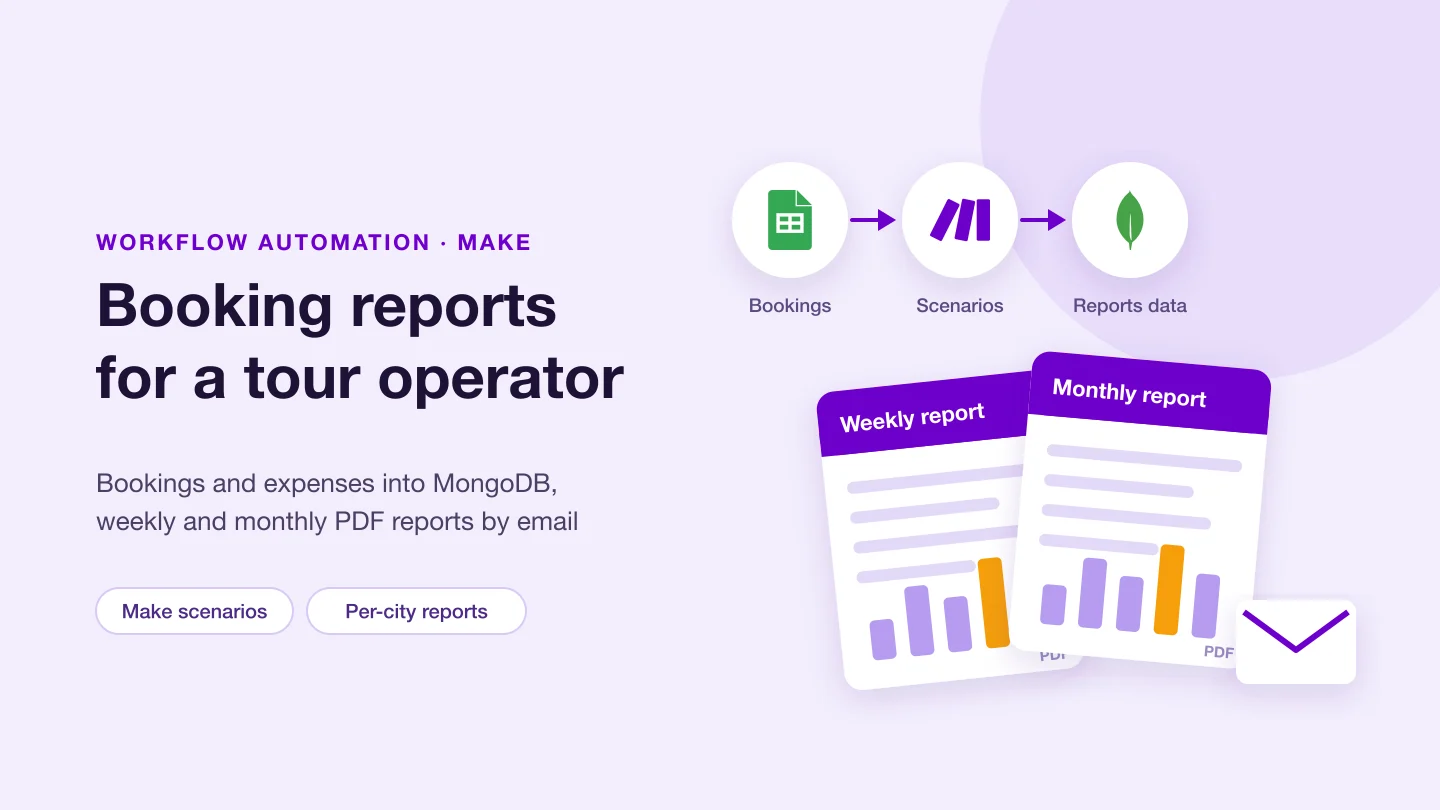
For a tour operator, Make scenarios take tour bookings and expense data from Google Sheets into a MongoDB database.

Weekly and monthly PDF reports

PDF reports per city are generated each week and each month from that data and sent by email.

Reports that did not arrive

Some reports were not generated or attached even when the scenario ran successfully. We fixed that, and checked the dashboard figures against the emailed reports.

Bookings on the calendar

We added bookings that were missing from Google Calendar, so the calendar matches the booking records.

Recovery for missed webhooks

We designed a scheduled recovery scenario to pick up bookings missed when the webhook does not fire, for example when credits run out or during downtime.

Forms into documents

In other work, quiz answers became a branded PDF, and Make flows connected the Xero API, Google Forms and Sheets, and SendGrid.

What Make gives you

A scenario starts with a trigger. Polling triggers, usually named "Watch", check a service on the scenario's schedule. Instant triggers receive data by webhook and start the scenario at once. Search modules fetch records, action modules get, create, update or delete them, and universal modules make a custom API call when no ready-made module exists. Data moves as bundles, and each module processes each bundle separately. An iterator turns an array into bundles, an array aggregator merges bundles into one, and a router sends bundles down routes that run one after another, with a fallback route last. Data stores keep data between scenarios and runs, shaped by a data structure. A scenario can run at intervals, daily, weekly, monthly, on specified dates or on demand. Each bundle a module processes is one operation, while a trigger counts once per run however many bundles it returns. For modules without AI, one operation uses one credit.

Not sure which tool fits? See how we choose between Zapier, Make, n8n and custom code.

Designing for failure and recovery

  • Webhooks: instant webhook runs happen in parallel unless "Process data in order" is on. Scheduled webhooks queue requests until the next run. When the queue is full, Make rejects the extra data, and a webhook not connected to any scenario for more than five days is deactivated.
  • Error handlers: Skip moves on, Retry stores the run for another attempt, Resume supplies a substitute value, Commit stops but keeps what was done, and Rollback stops and undoes it. We choose one per module by what a failure there means.
  • Incomplete executions: with the setting on, a failed run is kept. Rate limit, connection and module timeout errors are retried automatically with growing gaps. For other errors you fix the module and run it again from the failing step with its original input. Deleting one is permanent.
  • Storage and gaps: incomplete executions share a storage limit, and if the folder is full Make can discard the failed data. Errors on the first module, runs over the duration limit and errors in rollback leave nothing to recover.
  • Success that is not: a run can finish without errors and still miss its output, such as a report with no attachment. We check outputs, not just run status.
  • A safety net for webhooks: a scheduled scenario that compares the source with the database catches what a missed webhook left behind.

How we work

  1. Count the operations first: bundles per run times the modules they pass through, so the design fits the credits
  2. Choose instant or scheduled per flow: webhooks for speed, schedules for batches and for recovery
  3. Turn on recovery before go-live: incomplete executions, error handlers on modules that call other systems, and an alert for runs that succeed without their output
  4. Hand over properly: each scenario named and documented, with notes on reading the history and resolving an incomplete execution

Frequently asked questions

Should we use Make or Zapier?

Both connect apps without code. Make handles arrays, branching and stored data with iterators, aggregators, routers and data stores, and counts usage in operations, one for each bundle a module processes. Zapier is simpler to read for a straight sequence of steps and counts successful actions as tasks. We choose by the shape of the flow and its volume.

What happens to a run that fails?

With "Store incomplete executions" turned on, Make keeps the failed run. Rate limit, connection and module timeout errors are retried automatically. Other errors wait until you fix the module and run it again from where it failed. The setting is off by default, and some errors, such as one on the first module, do not create an incomplete execution.

Webhook or schedule?

A webhook runs the scenario as soon as data arrives. A scheduled scenario polls, or processes queued webhook data, at set times. Many setups need both: a webhook for normal traffic and a scheduled scenario that finds anything the webhook missed.

When should a flow move to code?

When operations per run grow with data volume and become the main limit, when the logic needs automated tests and code review, or when runs come close to the duration limit. A common split keeps Make for app connections and puts the core logic in your own service.

How can we work together?

There are three ways, on the same terms:

  • Dedicated team, best for ongoing work: interview the developers, then they work on your project full or part time.
  • Fixed scope, best when requirements are clear: we agree the scope and the price up front, and deliver against it.
  • Time and material, best when the scope will change: you pay for the time used and can change priorities as the work goes on.

Whichever you choose, we sign an NDA before work starts, you own the code we write, and every change is reviewed in your repository.

Can I interview the developers before we start?

Yes. For a dedicated team you meet the developers in an online call and interview them before they join your project.

Building or fixing a Make scenario?

Tell us what triggers it, which apps it touches and how many records each run handles. We will say how many operations it uses and where it can fail.

Tell us about your project

Tell us what you need built, fixed or improved. We come back with questions, a suggested approach and an estimate.
